API Tester view
The dashboard's API Tester tab is a browser-based REST client
for the simulator. It's not a replacement for curl or Postman —
it's a contextual tester that already knows your simulator's host
+ port and ships with the endpoint catalog pre-loaded, so the
common debug loop ("did the POST actually update the state?")
shortens to two clicks.
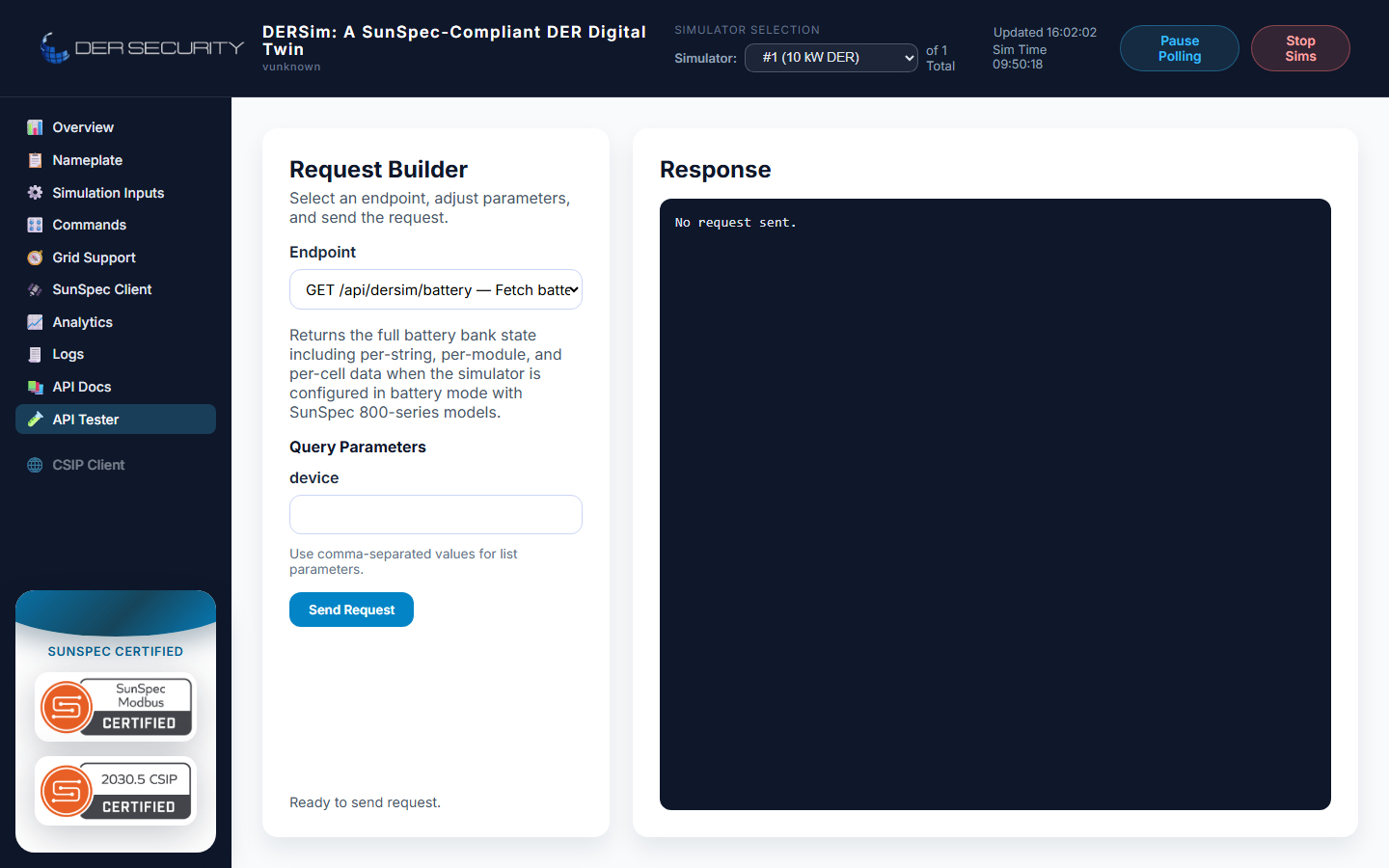
When to use it vs the Swagger UI
| Use case | Reach for |
|---|---|
| Schema-driven exploration | Swagger UI — every endpoint's request / response schema is rendered with examples |
| Quick one-off request | API Tester — no need to fill the schema, just hit Send |
| Saved requests for a debug session | API Tester — saves to browser localStorage so refreshes don't blow away your scratch request |
| Request templating across endpoints | API Tester — keeps URL + body in the editor as you swap endpoints |
| Generating a typed client | Neither — go to /openapi.json directly |
The Swagger UI is the canonical schema browser; the API Tester is the canonical scratch-pad.
What you can do here that curl can't
Three concrete things:
- In-browser CORS-aware — requests run from the dashboard's own
origin, so they hit the simulator the same way the dashboard
does. No
--insecureflag chasing, no double-checking that you're talking to the right port. - Response pretty-print — JSON responses render with syntax
highlighting and a copy button. For deeply nested snapshots
(
/api/dersim/batteryreturns 128 cells of voltage + temperature) this is a meaningful comfort improvement overcurl | jq. - History — recent requests stay in the left panel for the duration of the tab session. Switching between endpoints to chase a state change ("POST set the SoC, did GET reflect it?") is one click instead of arrow-key recall from the shell.
What it can't do that curl can
- No scripting — there's no way to chain requests or assert on
response content. For that, use
curl+jqfrom a shell or generate a typed client off/openapi.json. - No streaming — the API Tester is a request / response tool.
For the WebSocket telemetry stream, use a
WebSocket client (browser DevTools' Network panel,
websocat, Python'swebsockets, etc.). - No external requests — only hits the simulator's own host +
port. For cross-origin testing (e.g. driving the OCPP CSMS at
ws://csms.local), use a real REST client.
Tips
- The endpoint picker shows the same groupings the Swagger UI does — pick the group, then the endpoint, then the method.
- For POST endpoints, the editor pre-fills the request body with the
schema's
exampleblock. Useful forPOST /controls/batterywhere the shape is obvious but typing{"soc_pct": 72.5}is still slower than editing one number. - Query parameters can be added via the URL bar directly — the tester doesn't try to parse them into a structured editor.