Common Troubleshooting Issues
The license isn’t working
Possible Issues
Internal Server Error:
SSL interception issue:
-
Take the following steps:
- If you see
Internal Server Errorand/or SSL errors in the logs, your organization may be using SSL interception to identify threats and you will want to configure your environment to use the root CA of your organization to validate the HTTPS routes. - If you open
certmgrand go toTrusted Root Certification Authorities, you should see a cert related to you organization. Export this to a known location. - Typically this is recorded in
DERformat(*.crt)and will need to be converted to a.pemfile. You can useOpenSSL to do this with openssl x509 -inform der -in cert.cer -out cert.pem. - Then set your environment variables to point to the .pem file for:
- a.
REQUESTS_CA_BUNDLEused by Python'srequestspackage. - b.
SSL_CERT_FILEused byopenssland other libraries likehttpxorurllib3
- a.
- Restart the software and you should now see the
auth.dersec.iologin page.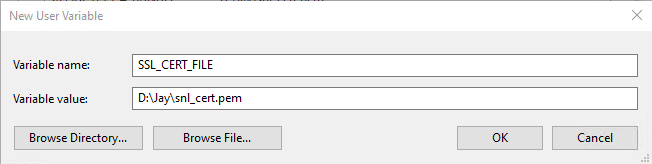
- If you see
-
License expired:
- Solution: Contact DERSec Support at support@dersec.io.
- License file
- Solution: Contact DERSec Support at support@dersec.io.
Can't connect to my device
Possible Issues
-
TCP/IP address is not correct:
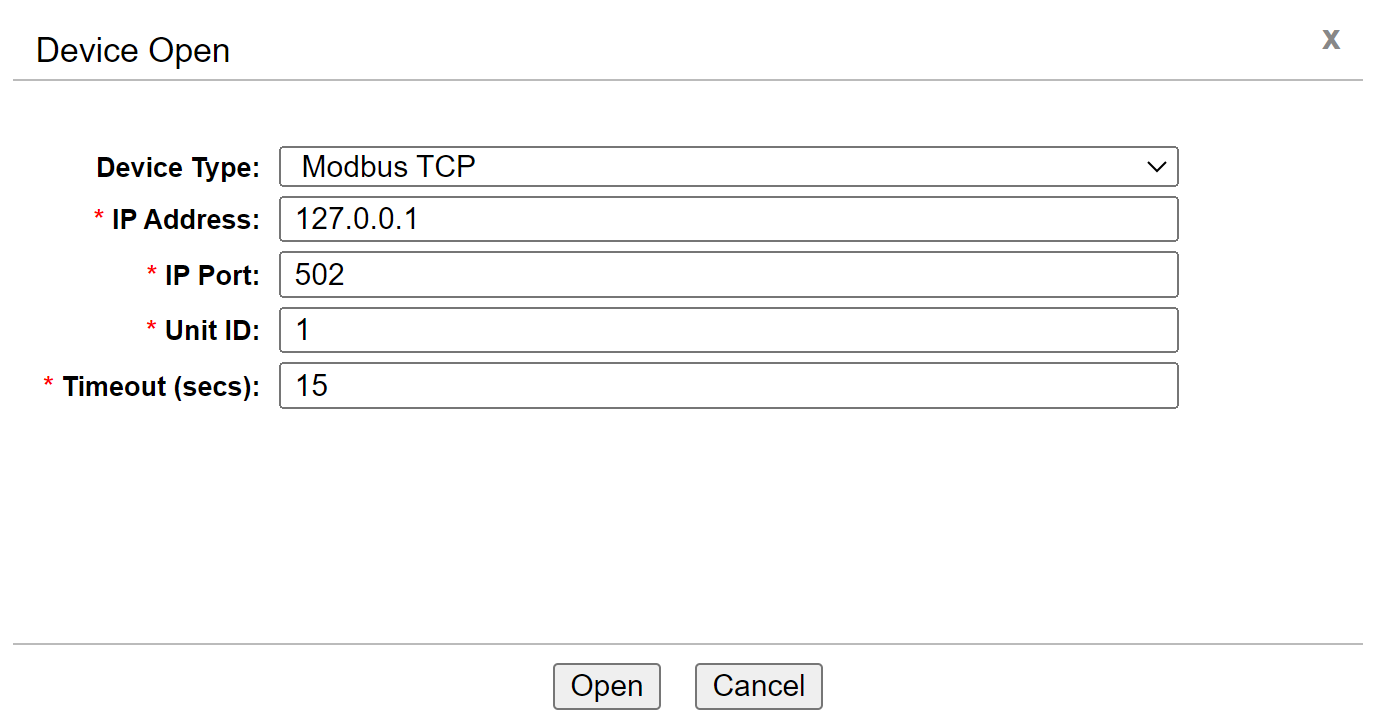
- Make sure, you are entering the correct IP address and Port in the open device form
-
Make sure, you are on the same LAN network and are able to ping the IP address of the device from your workstation.
-
Solution: Contact DERSec Support at support@dersec.io.
- Make sure, you are entering the correct IP address and Port in the open device form